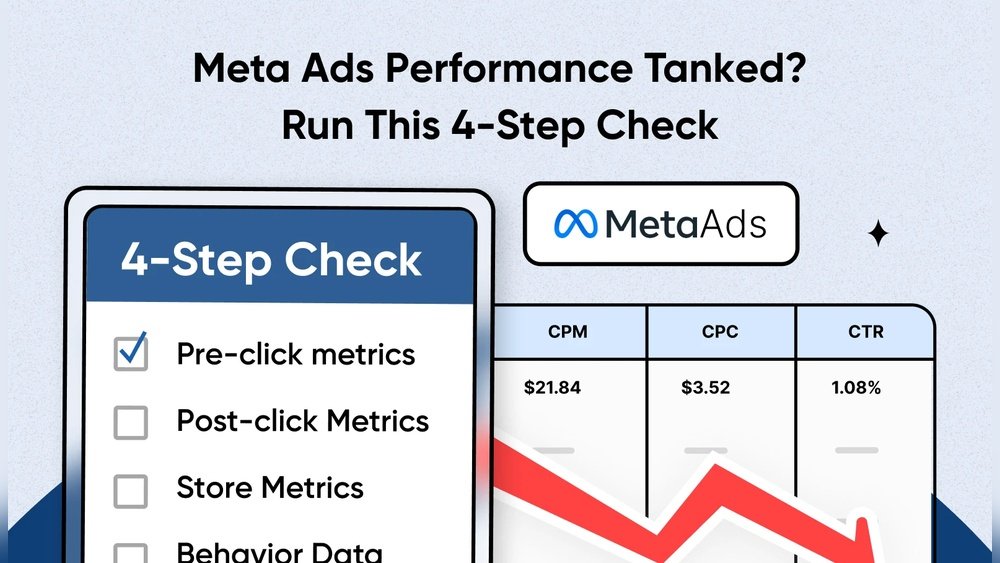
Is your Meta ads performance suddenly tanking? You’re not alone, and it can be frustrating when your hard work doesn’t pay off.
But before you panic or throw your budget out the window, there’s a simple way to diagnose the problem. Run this 4 step check to quickly uncover what’s holding your ads back—and how to fix it. Keep reading, because these easy actions could turn your campaigns around faster than you think.
Identify Key Metrics
Identifying key metrics is the first step to fix Meta Ads performance issues. Metrics show how your ads perform and where problems lie. You can see what works and what does not. Focus on the right numbers to save time and budget.
Tracking every metric can be confusing. Pick those that matter most to your goals. Clear metrics help you make smart decisions fast. Let’s explore the key metrics to watch for better ad results.
Ctr (click-through Rate)
CTR shows how many people click your ad after seeing it. A low CTR means your ad is not interesting or clear. Check your headlines, images, and calls to action. Improve these to attract more clicks and traffic.
Cost Per Click (cpc)
CPC tells you how much each click costs. High CPC means your ads are expensive and not efficient. Lower CPC by targeting the right audience and improving ad quality. Save money while getting more clicks.
Conversion Rate
This metric shows how many clicks lead to a sale or action. A low conversion rate means your landing page or offer needs work. Make sure your page is easy to use and matches the ad message. Increase conversions to boost profits.
Return On Ad Spend (roas)
ROAS measures the money earned from each dollar spent on ads. A low ROAS means ads are not profitable. Track this to decide if you should adjust or stop campaigns. Focus on ads that bring real returns.
Review Audience Targeting
Audience targeting affects Meta ads’ success. Check who sees your ads and adjust to match your goals. Follow four simple steps to fix poor ad performance quickly.
Understand Your Current Audience
Start by checking who you are targeting now. Look at the age, location, and interests of your audience. See if these match your ideal customer profile. Sometimes small changes in targeting can make a big difference.
Analyze Audience Overlap
Check if your ad sets target the same people. Audience overlap can cause your ads to compete against each other. This raises costs and lowers performance. Use Meta’s Audience Overlap tool to find and fix overlaps.
Test New Audience Segments
Create new groups based on different interests or behaviors. Test small audiences to find who reacts best. Narrower groups often perform better than broad ones. Keep testing to find the sweet spot.
Exclude Irrelevant Audiences
Remove people who are unlikely to convert. Exclude past customers if you want new buyers. Also, exclude irrelevant locations or age groups. This saves budget and improves ad results.
Analyze Ad Creative
Meta ads can lose impact quickly. Check your ad creative in four simple steps to find and fix issues. Small changes can improve results fast.
Why Review Your Visuals?
Your ad’s images or videos catch attention first. Poor visuals cause users to scroll past quickly. Bright, clear, and relevant images improve interest. Check if your visuals match your message well. Outdated or blurry images lower trust and clicks.
Check Your Headlines And Text
Strong headlines grab attention fast. Weak headlines fail to spark curiosity. Use simple words that explain benefits clearly. Avoid long sentences or complicated phrases. Your text should match the audience’s needs and questions.
Test Different Versions
Try several versions of your ad creative. Change images, headlines, or calls to action. Run small tests to see which works best. Pause ads that perform poorly to save budget. Use data to decide which creative to keep.
Ensure Mobile-friendly Design
Most users see ads on phones now. Make sure your visuals look good on small screens. Text should be easy to read without zooming. Avoid clutter or too much detail in images. A clean design improves user engagement and clicks.
Evaluate Budget Allocation
Budget allocation can make or break your Meta Ads campaign. Spending too little may limit your reach. Spending too much in the wrong places wastes money. Checking your budget spread helps find where changes are needed.
Small shifts in budget can improve results. Focus on where your money works best. Understanding your budget setup is the first step to fixing poor ad performance.
Review Campaign Budgets
Start by looking at each campaign’s budget. Some campaigns may have too little funding. Others might have more than necessary. Adjust budgets based on campaign goals and past results.
Keep budgets flexible. Move money to campaigns that perform better. Stop funding campaigns that do not bring results.
Analyze Ad Set Spending
Ad sets within campaigns can spend unevenly. One ad set might use most of the budget. Others may get very little. Check if spending matches your target audience size and potential.
Balance the budget across ad sets. This helps reach more people effectively.
Track Daily Spend Limits
Daily spend limits control how much you spend each day. Setting them too low may slow down learning. Too high can burn through budget quickly. Find the right daily limit for steady growth.
Adjust daily limits based on campaign needs and performance.
Compare Budget To Results
Look at how much you spend versus what you get. High spending with low results means budget is not well used. Lower spending with good results shows efficient use.
Shift budget to ads and audiences with the best return on investment.
Test Landing Pages
Testing landing pages is a key step to improve Meta Ads performance. A landing page is where visitors arrive after clicking an ad. If the page is slow, confusing, or not clear, people leave without action.
Small changes can make a big difference. Testing helps find what works best. This way, you can increase clicks, leads, and sales from your ads.
Check Page Load Speed
Fast loading keeps visitors interested. Slow pages cause users to leave quickly. Use tools to measure how fast your page loads. Aim for under three seconds.
Review Content Clarity
Clear and simple text helps users understand your offer. Avoid long sentences or complex words. Use headlines and bullet points to highlight key ideas.
Test Different Call-to-actions
Try various buttons and phrases for your call-to-action. Examples: “Buy Now,” “Sign Up,” or “Learn More.” See which one gets more clicks and conversions.
Compare Design Layouts
Change the look and feel of your landing page. Test colors, images, and button placement. A clean and attractive design keeps users engaged longer.
Implement Continuous Monitoring
Implementing continuous monitoring is key to improving Meta Ads performance. It helps spot issues fast. This way, you can fix problems before they cause big losses.
Continuous monitoring means checking your ads regularly. Look at key numbers like clicks, cost, and conversions. Watch changes closely to see what works and what does not.
Use Real-time Data
Real-time data shows how ads perform right now. It lets you act fast on problems. Check your dashboard daily. Look for drops in clicks or rises in costs.
Set Clear Performance Alerts
Create alerts for important metrics. Alerts notify you when numbers fall below targets. This helps catch issues early. Adjust your ads quickly to avoid wasting money.
Review Audience Behavior Often
Audience habits can change quickly. Watch how people interact with your ads. See which groups click more or less. Change targeting if you notice shifts in behavior.
Test And Adjust Regularly
Testing different ads helps find better options. Try new images, texts, or offers. Use monitoring to see which ads perform best. Stop ads that do poorly and boost successful ones.
Frequently Asked Questions
Why Did My Meta Ads Performance Suddenly Drop?
Meta ads can drop due to budget issues, targeting errors, or ad fatigue. Check your campaign settings and audience for recent changes. Also, review your creatives for relevance and freshness. These common problems often cause sudden performance declines in Meta advertising campaigns.
How Can I Quickly Diagnose Meta Ads Problems?
Run a 4-step check: review budget, audience targeting, ad creatives, and campaign objectives. This helps identify where performance issues lie. Addressing each factor ensures your ads align with Meta’s algorithm and user preferences, improving effectiveness and ROI.
What Role Does Audience Targeting Play In Ad Drops?
Audience targeting is crucial; wrong or too narrow targeting limits reach. It can also cause low engagement or high costs. Regularly update and test your audience to maintain relevance and avoid ad fatigue, ensuring better campaign performance on Meta platforms.
How Often Should I Update Meta Ad Creatives?
Update creatives every 1-2 weeks to avoid ad fatigue. Fresh visuals and messaging keep your audience engaged. Regular updates help maintain relevance and improve click-through and conversion rates, boosting overall ad performance on Meta.
Conclusion
Follow the four steps to check your Meta ads performance. Fix common issues quickly and clearly. Track your results to see what works best. Small changes can bring better ad results. Keep testing and adjusting to improve. Don’t give up if ads don’t work at first.
Success comes with patience and steady effort. Stay focused, and your ads will perform better soon.

About the Author
Oliver K.G.
Oliver K.G. has 8+ years in pricing strategy and has helped 200+ Amazon FBA sellers, dropshippers, and small business owners optimise their profit margins. He built BizMargin to make gross margin and pricing calculations instant and free. He writes on pricing strategy, gross margin optimisation, and profitability for e-commerce and retail businesses.